Billing software integration improves productivity. Managing billing software payments customer data, and financial reporting on multiple different software tools can be a time-consuming task for any business. Linking billing software to the other tools your business relies on can simplify and automate your everyday processes, eliminate duplicate entry, and improve the overall accuracy of your financial data.
In this blog we will look at how to connect your billing software to your other tools and the advantages of connecting your business systems.
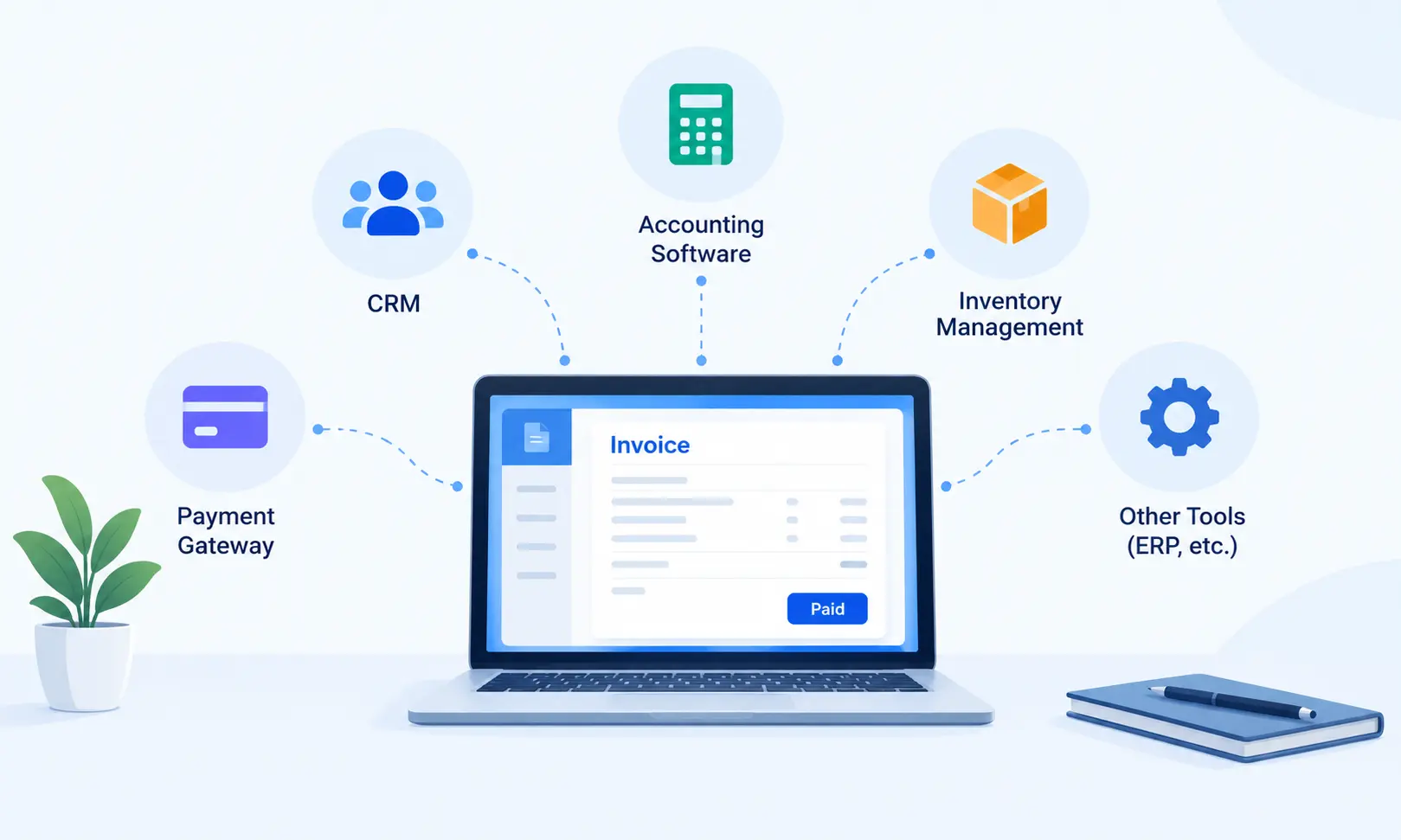
1. Identify Your Current Business Tools
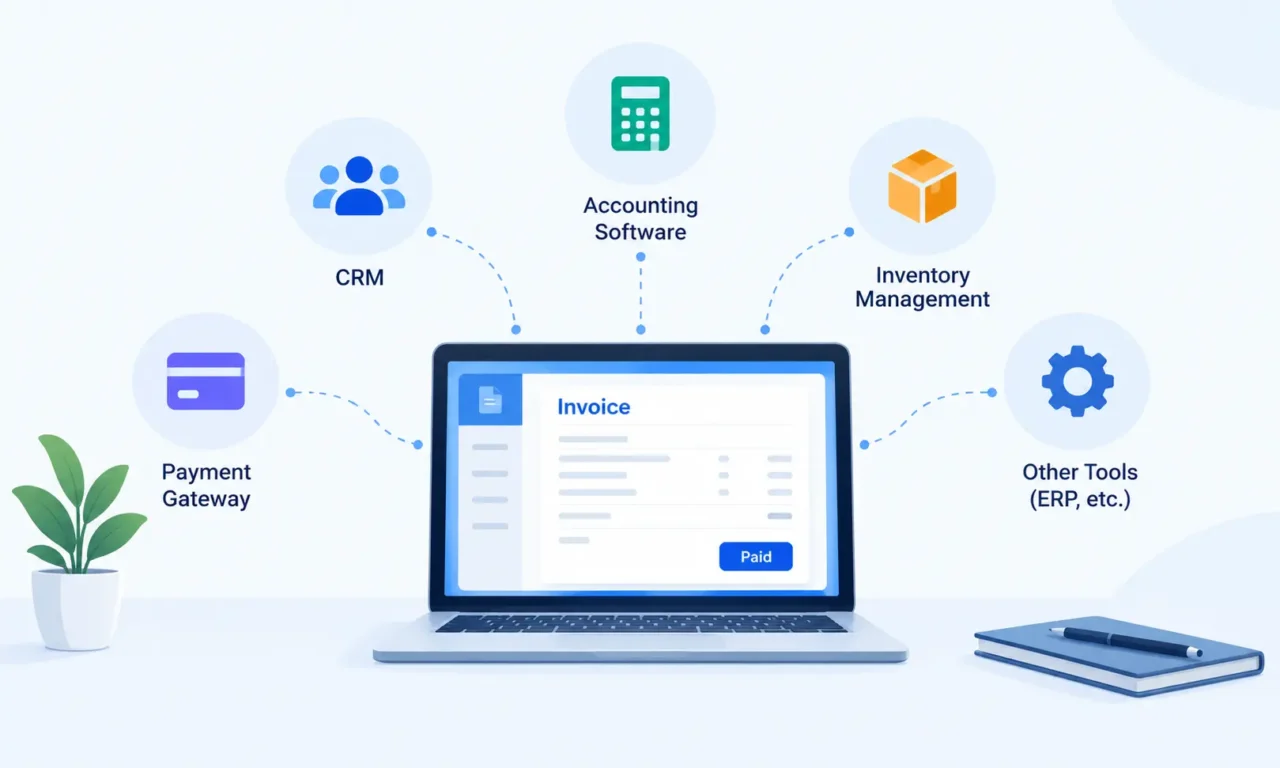
You should consider the tools your business already has in place that can be integrated into the system. Such tools could be: accounting software CRM inventory management software, a payment gateway, an Enterprise Resource Planning (ERP) package.
Let’s say you connect your billing software with your inventory management software so each time an invoice is created, your inventory count is also updated. Knowing your current workflow allows you to see how valuable each integration can be.
2. Choose Compatible Billing Software
Choose the billing software that has integrations with your business software. Find out if the platform has native integrations, APIs, or third-party connectors.
Online billing software can be extremely useful for companies that require invoices and other financial data from several remote locations. When considering, which system to use, take into account the system’s integrations security scalability and ease of use.
3. Connect Billing Software With Accounting Tools
Link your billing software to your accounting software to keep invoices, expenses, taxes, and payment records aligned so you don’t have to double-up the data entry.
If an invoice is raised, your integration could automatically pass the transaction details to your accounting package. This can make bookkeeping easier, help with your financial reports and eliminate many mistakes caused by data entry.
Ensure that the tax settings, invoice formats, and financial reports are uniform on both platforms.
4. Integrate Payment Gateways
Integrate billing software with payment gateways so that customers can pay invoices online. The payment status of an invoice can be updated to paid automatically in some billing systems.
This integration helps retailers track outstanding invoices, simplify payment reconciliation, and improve the customer payment experience. Choose a secure payment solution and confirm that transaction data is transferred accurately.
5. Connect CRM and Inventory Management Systems
You can integrate billing and CRM software to maintain your customer info, sales activities and billing records in an orderly manner. Sales team can view customer info without need to log into various applications.
And also integrating billing software with inventory management software can help to improve inventory levels and stocking and ordering of goods. These integrations are very relevant if you are in retail, distribution, or e-commerce with frequent orders.
6. Test the Integration and Train Your Team.
Before implementing the combined system to run daily activities, test invoice processing, payment entries, customer records, tax calculations and reports. Look for double entries, incomplete, or missing data, and lag in updating the system.
Train your staff on the new workflow by giving employees basic training. Continuously update software, backup data, and restrict access to ensure your system is working properly and financial information is protected.
Frequently Asked Questions
1. What is billing software integration?
What is integration? Integration of billing software is the process of connecting your billing application with your business ecosystem. Integrating billing with your other tools like CRM accounting payment gateways, and inventory.
2. Why should businesses integrate billing software with existing tools?
Integrating billing software lowers the need for manual data entry, reduces billing mistakes, automates the invoicing process, boosts payment tracking, and boosts operational efficiency.
3. Which business tools can be integrated with billing software?
It is able to be connected with your CRM payments ERP, or other accounting software.
4. How does billing software integration work?
Data integration in billing software generally involves API integrations, native integrations, or middleware. Examples include using API integrations, or native API integrations to send invoices and update payments across applications.
5. Can billing software integrate with accounting software?
Does billing software integrate with accounting? Yes, the billing software integrates with the accounting to sync the payments, transaction records, invoices, and taxes.
6. Is billing software integration suitable for small businesses?
Can small business use billing software integration? Yes, small businesses can use billing software integration to automate the repeated processes, automate the paperwork, and better handle the invoices.
7. How much does billing software integration cost?
The cost of the solution varies based on platform, integration time, customization, and the amount of work involved in implementation. Before deciding an integration solution, companies need to analyze their needs.
8. Is it difficult to integrate billing software with existing systems?
The complexity will be based on your system and your options for interacting with it. Many softwares today offer native connectors and APIs to make this easier, but legacy systems can be a challenge to connect with.
Conclusion
Integrating billing software with your current business tools can tidy up processes, reduce repetitive work, and support better financial management. By selecting compatible applications, connecting essential services, and carefully testing the workflow, you can create a more organized billing process. A well-planned billing software integration helps your team manage transactions accurately and lays the foundation for future business growth.